
Vista Center1.2 - Google Play
You'll be able to see results in few seconds.
Publisher Description
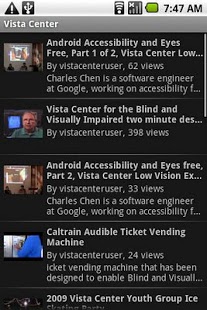
This Vista Center app lets users quickly and easily find videos from the Vista Center. These are instructional videos that help blind and visually impaired users with everyday tasks such as using an automated ticketing machine, identifying money, etc. There are also informational videos that teach users about various technologies, including accessible Android applications.
Vista Center's Mission:
"to empower individuals who are blind or visually impaired to embrace life to the fullest by serving individuals of all ages, living in San Mateo, Santa Clara, Santa Cruz and San Benito Counties, who are threatened by loss of independence due to moderate or severe vision impairment"
Special Thanks:
Pam Brandin - whose executive leadership makes it possible for the Vista Center to do what they do
Alice Sakamoto - for managing Vista Center's video channel and uploading all of this wonderful content
Casey Burkhardt - This application contains code from Casey's cctube project (http://code.google.com/p/cctube/)
Charles L. Chen - for bringing everyone together and driving the development of this application
About Vista Center
The company that develops Vista Center is IDEAL Group, Inc. Android Development Team. The latest version released by its developer is 1.2.
To install Vista Center on your Android device, just click the green Continue To App button above to start the installation process. The app is listed on our website since 2013-03-23 and was downloaded 0 times. We have already checked if the download link is safe, however for your own protection we recommend that you scan the downloaded app with your antivirus. Your antivirus may detect the Vista Center as malware as malware if the download link to org.vistacenter.videos is broken.
How to install Vista Center on your Android device:
- Click on the Continue To App button on our website. This will redirect you to Google Play.
- Once the Vista Center is shown in the Google Play listing of your Android device, you can start its download and installation. Tap on the Install button located below the search bar and to the right of the app icon.
- A pop-up window with the permissions required by Vista Center will be shown. Click on Accept to continue the process.
- Vista Center will be downloaded onto your device, displaying a progress. Once the download completes, the installation will start and you'll get a notification after the installation is finished.
Program Details
System requirements
Download information
Pricing
Version History
version 1.2
posted on 2013-03-23
version 1.2
posted on 2013-03-23
Several fixes and updates
Disclaimer
Official Google Play Link
We do not host Vista Center on our servers. We did not scan it for viruses, adware, spyware or other type of malware. This app is hosted by Google and passed their terms and conditions to be listed there. We recommend caution when installing it.
The Google Play link for Vista Center is provided to you by apps112.com without any warranties, representations or guarantees of any kind, so access it at your own risk.
If you have questions regarding this particular app contact the publisher directly. For questions about the functionalities of apps112.com contact us.
